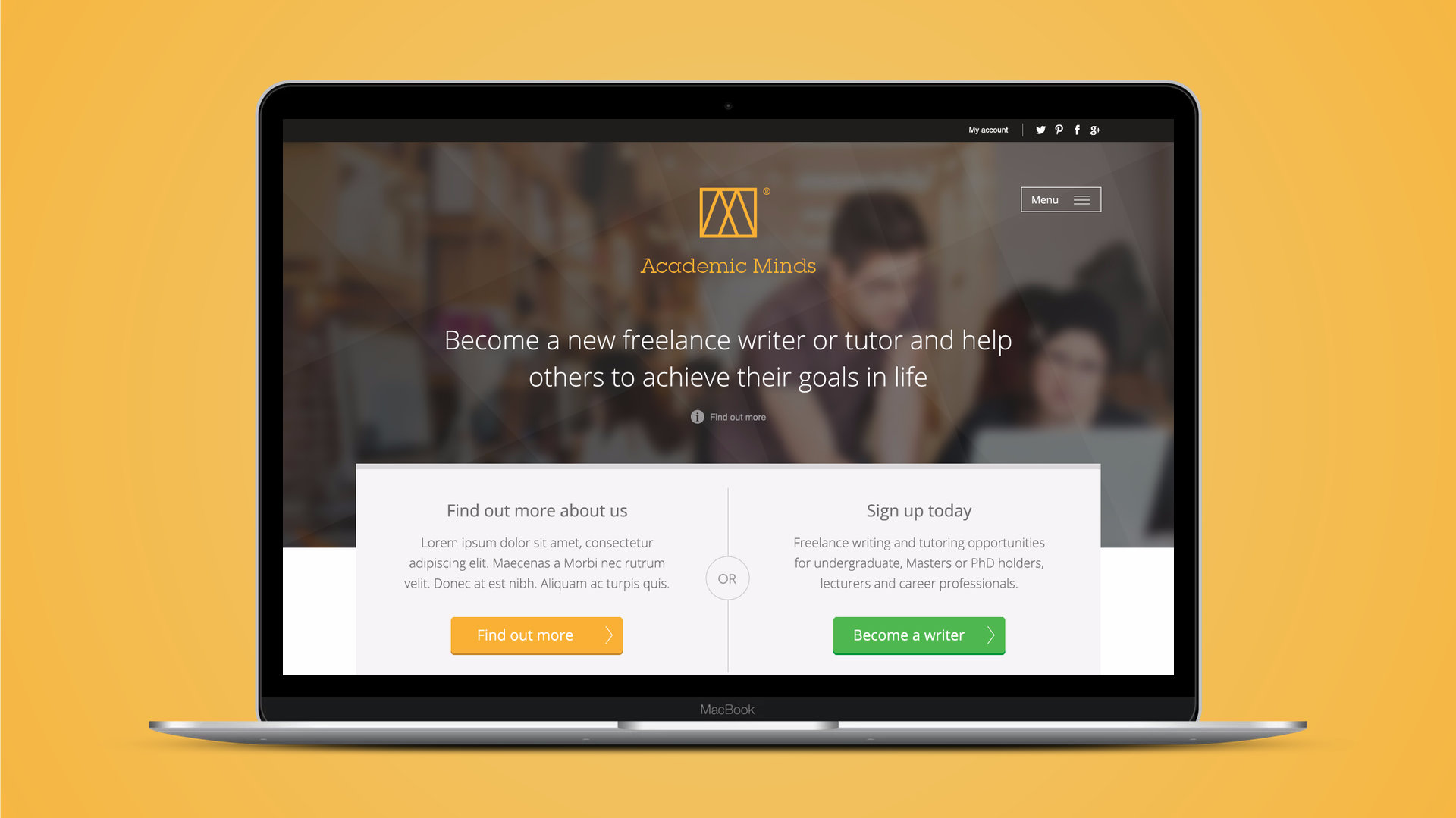
Academic Minds wanted to recruit a network of freelance academic writers and tutors, and give them somewhere to find work, manage it and get paid. I designed the public website that brought them in and the portal they lived in once they'd joined.
At a glance
- Client: Academic Minds, part of The Oxbridge Research Group
- My role: Freelance interaction and visual designer
- When: 2013 to 2014
- Deliverables: marketing website, writer portal, mobile layouts, front end HTML and CSS
The problem
The business had two audiences with very different needs. Graduates and academics needed convincing to sign up, so the public site had to feel credible and warm. Once signed up, those same people became busy freelancers juggling briefs, deadlines and invoices, and needed a tool that got out of their way.
The existing portal had grown feature by feature without a plan. There was no single place to see what was due, bidding on work was clunky, and getting paid meant chasing by email.
What I did
I worked through the two products side by side, iterating the website through six rounds and the portal through seven, sharing each stage with the client as annotated PDFs and then building the front end myself.
The website
The public site leads with one promise, "help others to achieve their goals in life", and one decision: find out more, or sign up. Everything else, how it works, who the academics are, the FAQs, sits a click behind that so the page stays calm.
The portal
The portal is organised around a writer's week:
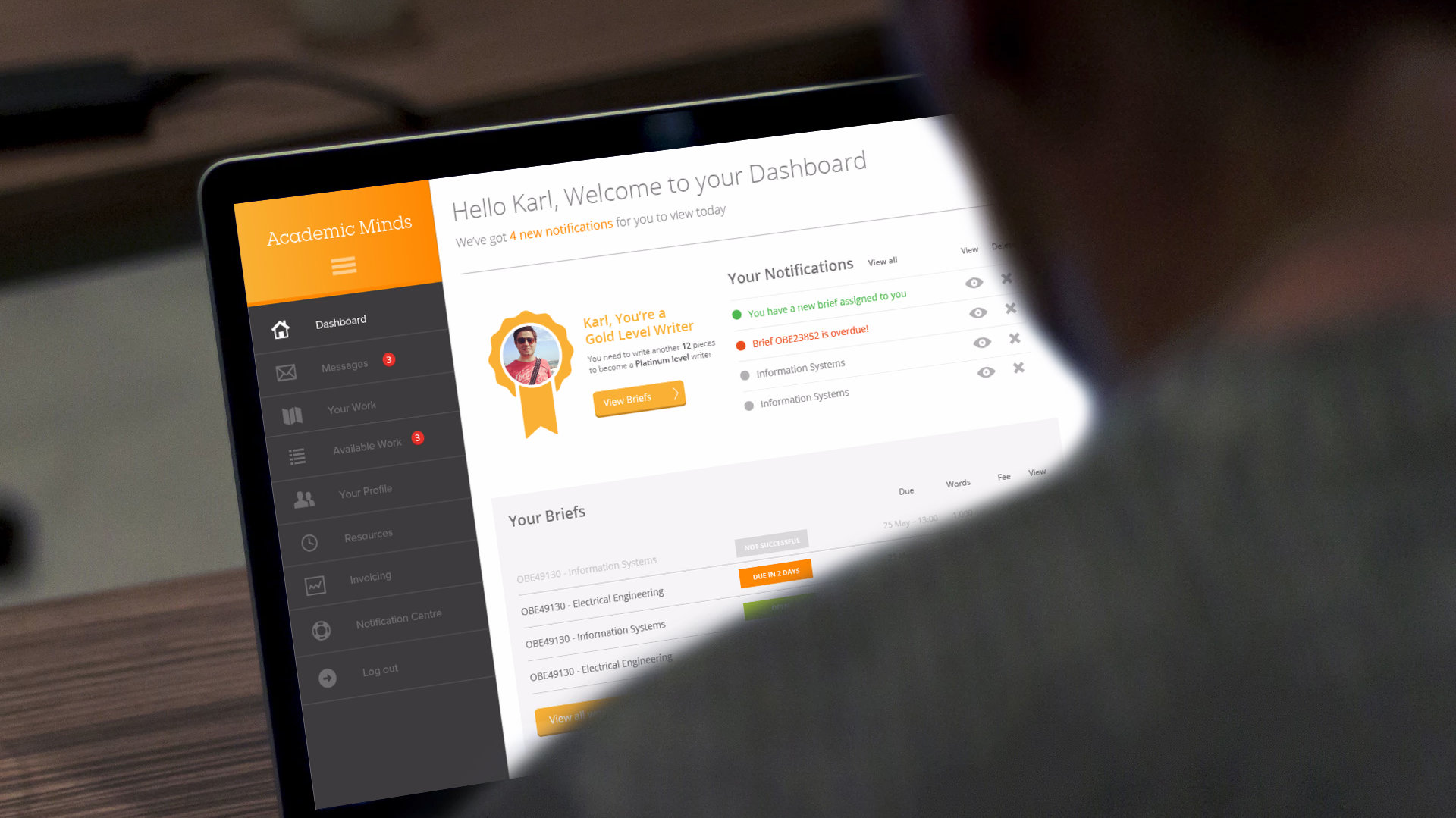
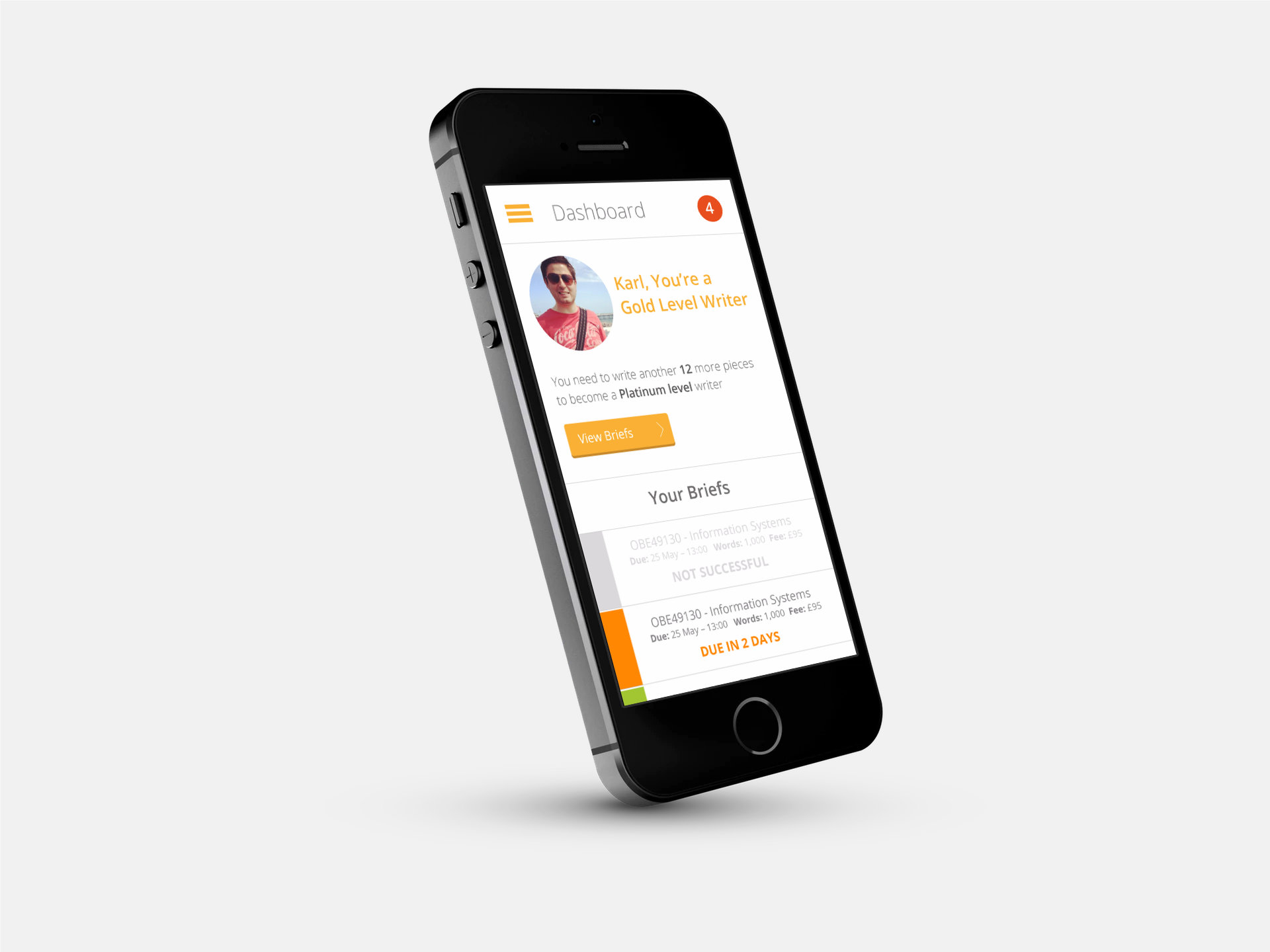
- Dashboard. What's new, what's due and what's overdue, at a glance, with the writer's progress level front and centre.
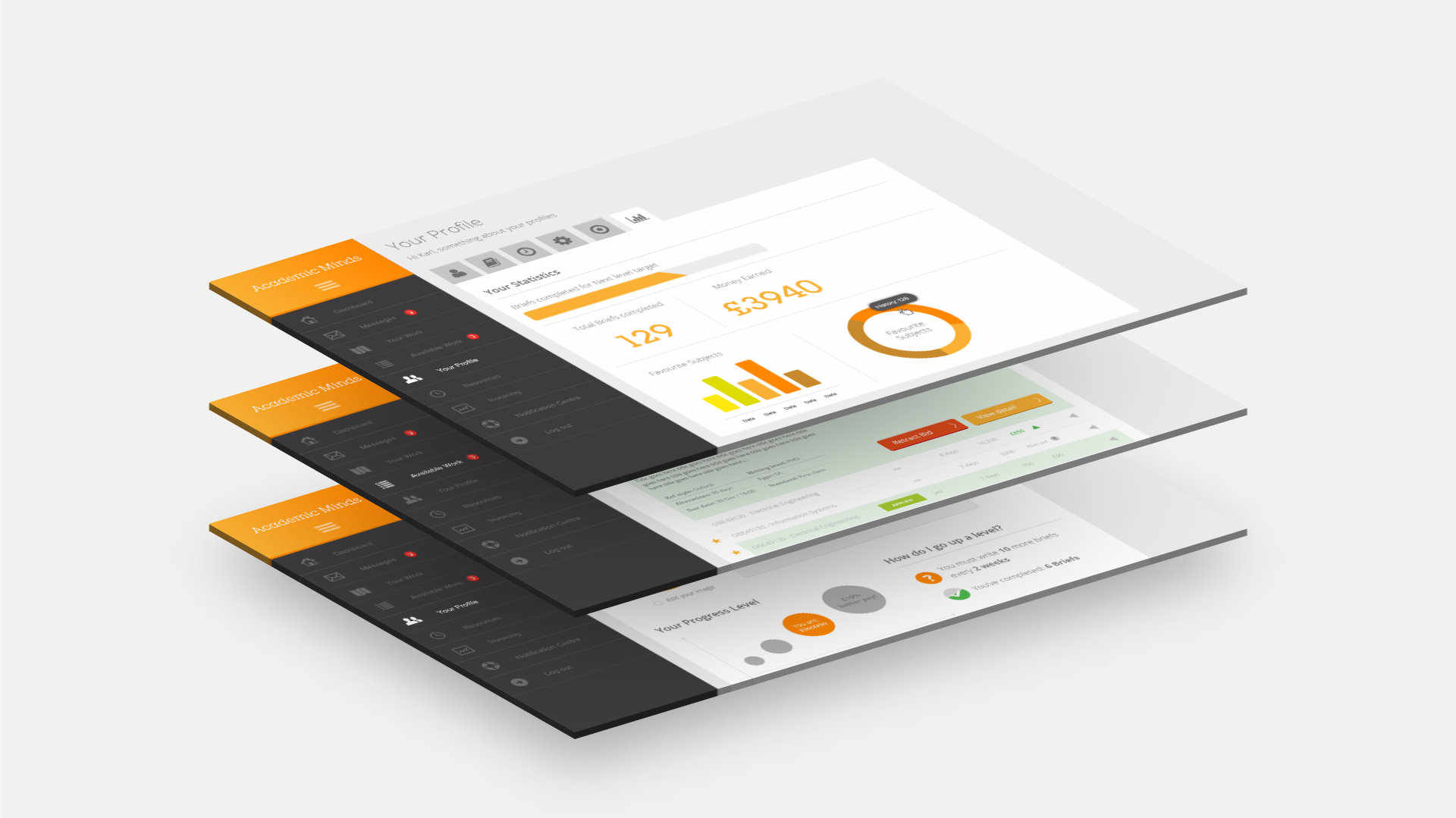
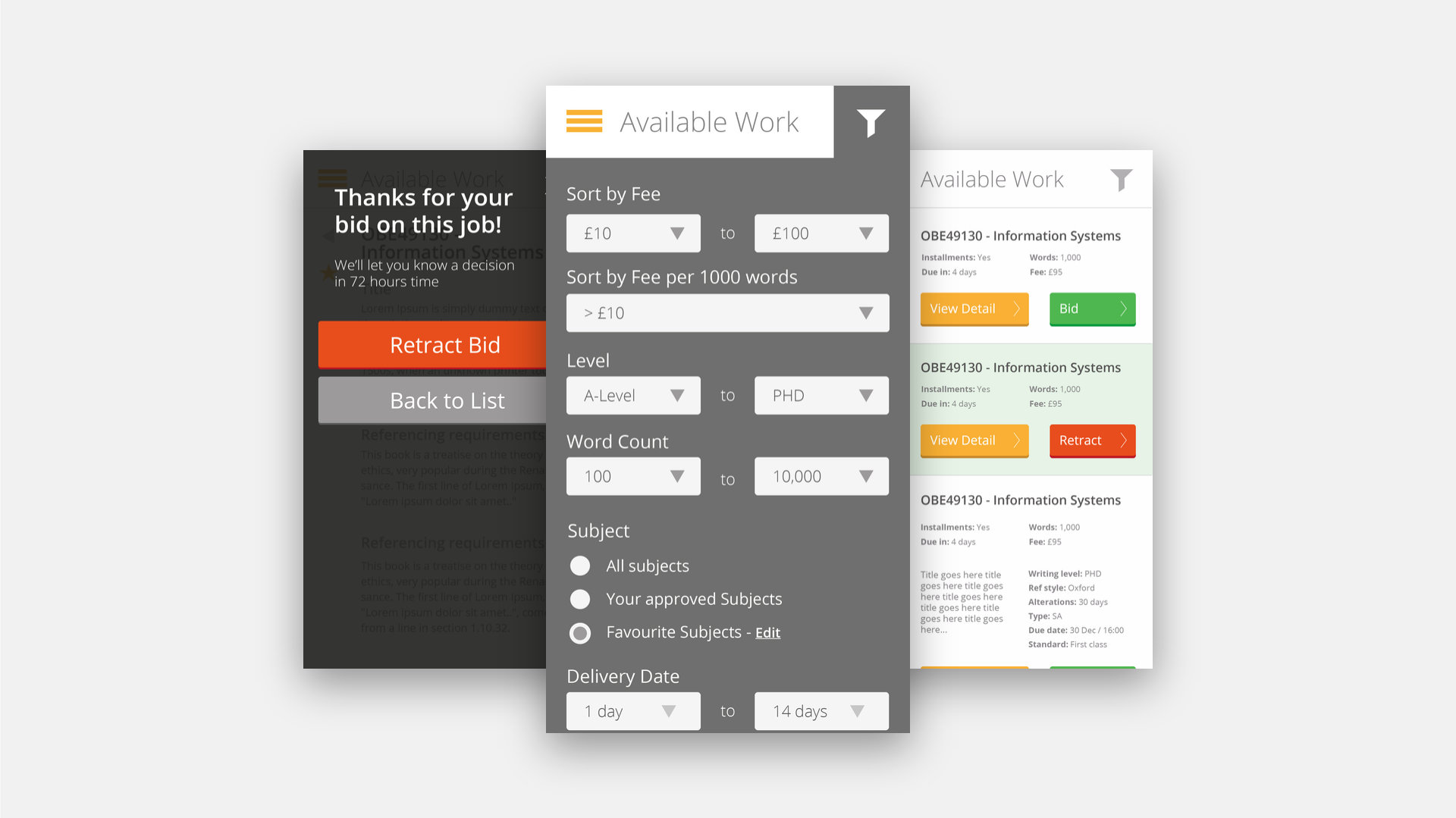
- Available work. Briefs to bid on, with filters for fee, fee per thousand words, level from A-Level to PhD, word count, subject and delivery date. New writers are asked to suggest their own fee and say why they're right for the brief.
- Your work. Each brief broken into instalments with their own due dates, a drag and drop upload for submissions, a progress journal that records every change of scope or fee, and a way to ask a question about the job without leaving it.
- Profile. Academic history, approved subjects, targets and statistics, including a progress level, Gold to Platinum, that rewards reliable writers with better pay.
- Invoicing. Tick the completed briefs, build an invoice, preview it, submit it, and see what's been paid.
Designing for the phone
Writers don't only work at a desk. The dashboard and the available work list were designed for the phone as well, so a writer can see what's due, filter new briefs and place or retract a bid from wherever they are.
What I learned
When one product serves two moments in the same person's life, design for the moment rather than the person. The site that recruits someone and the tool they use every day can share a brand without sharing a layout.